Form directory
After entering from the navigation page, each kind of data form is first presented as a list of forms of that type,
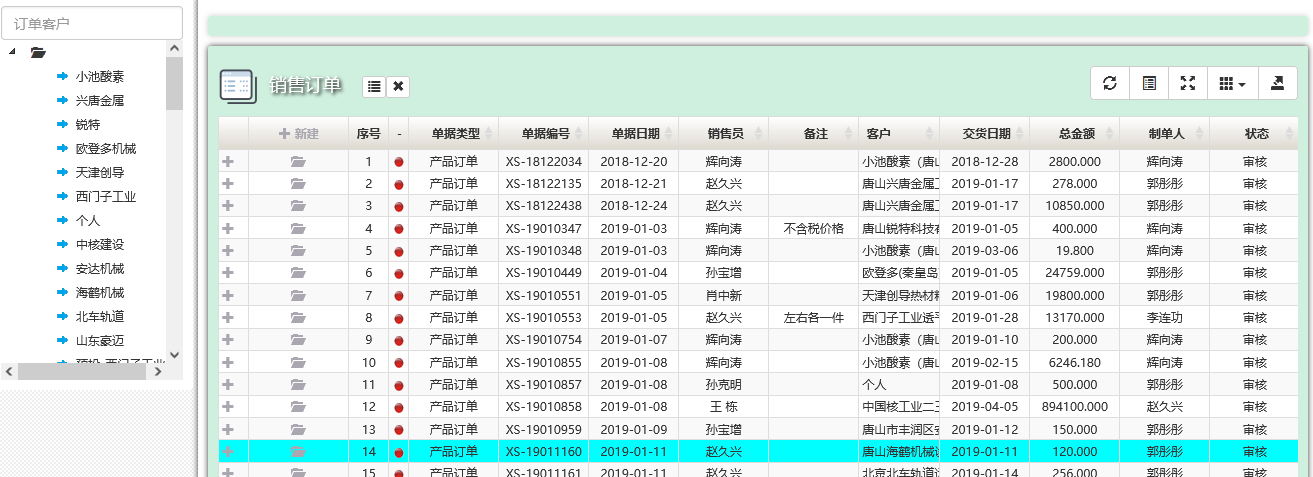
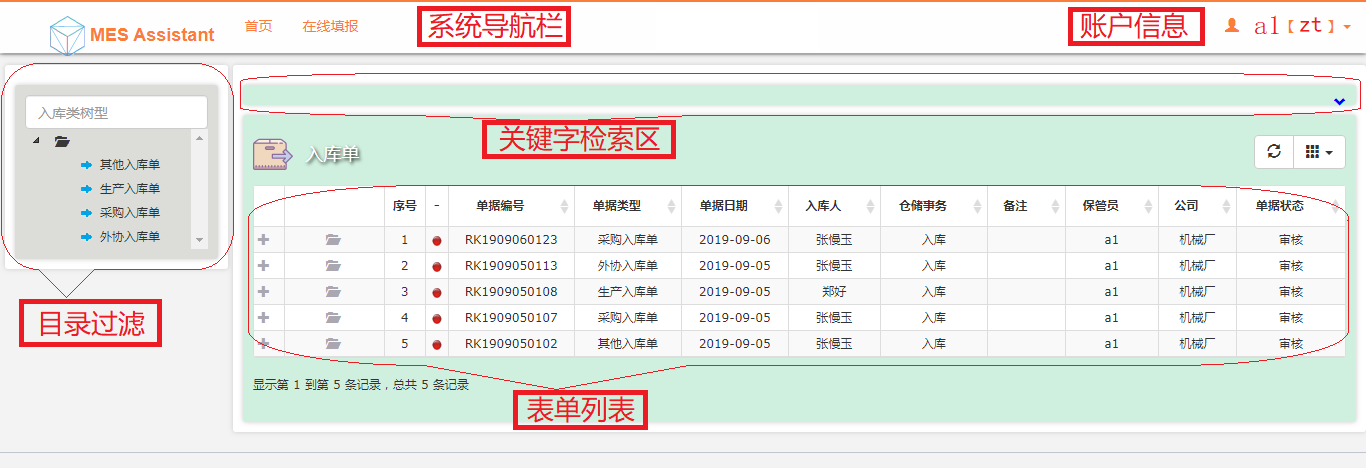
On the left there is usually a list of field values for filtering, which makes filtering and querying convenient, and above the list is a keyword search area for text fields, where additional keywords refine the query.
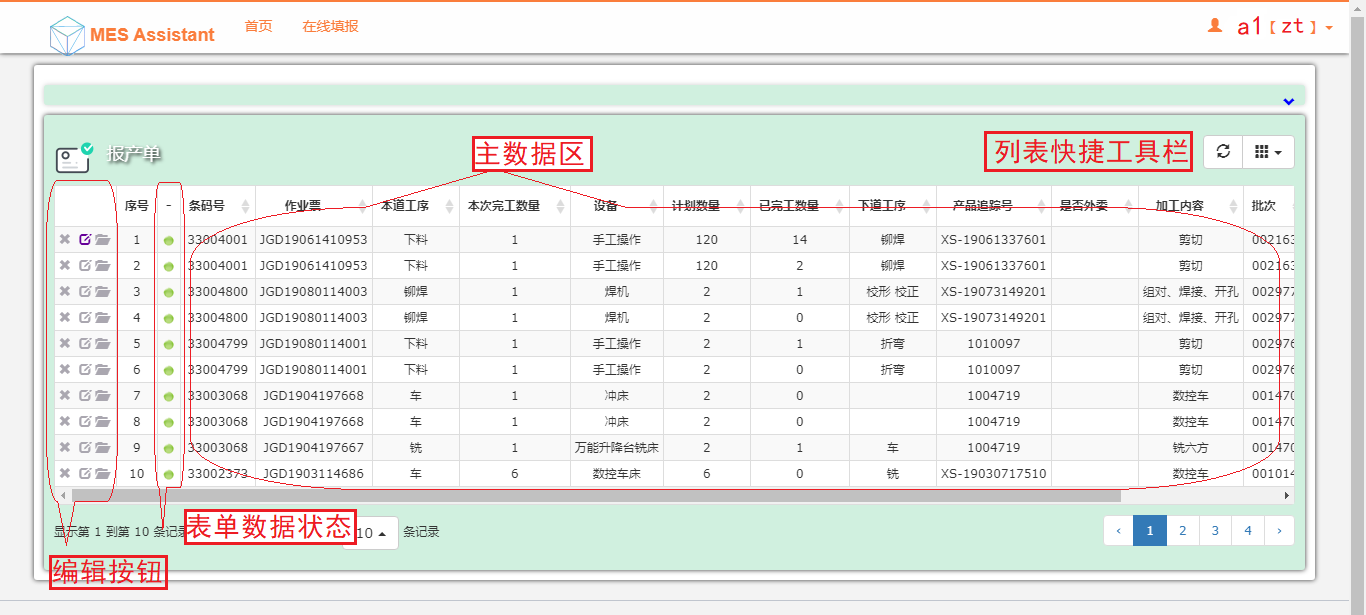
Form data usually comes in an editable state and a locked state. Editable forms have action buttons on the left: delete, edit and view; locked forms only have a view button.
Platform navigation overview Personalizing business form layouts Different navigation styles