Template design
In the iterative-improvement model of an information system, everything starts with template design.
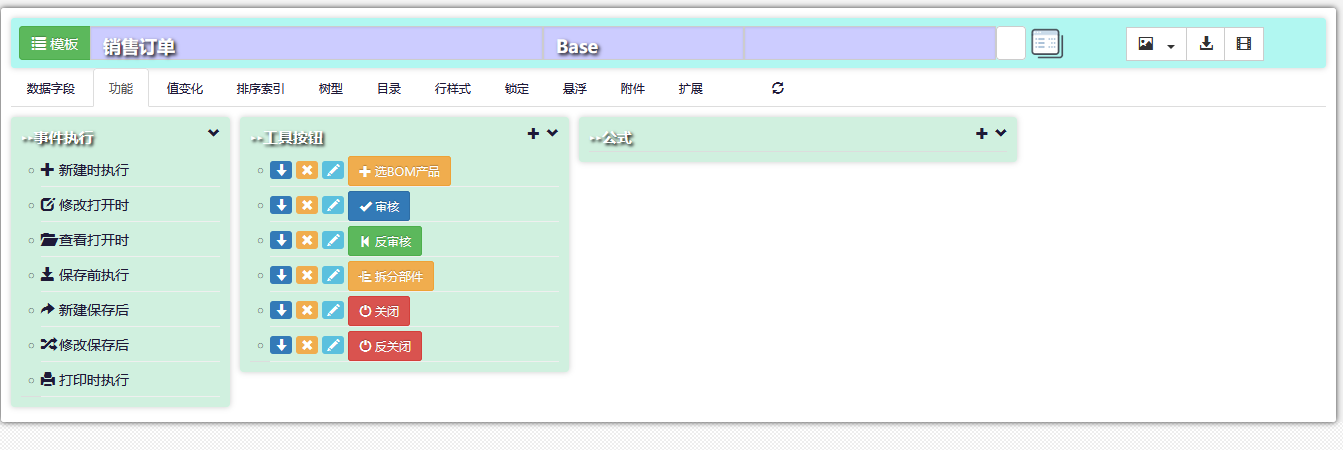
The flexible tree-directory way of building templates makes development and maintenance extremely simple and quick.
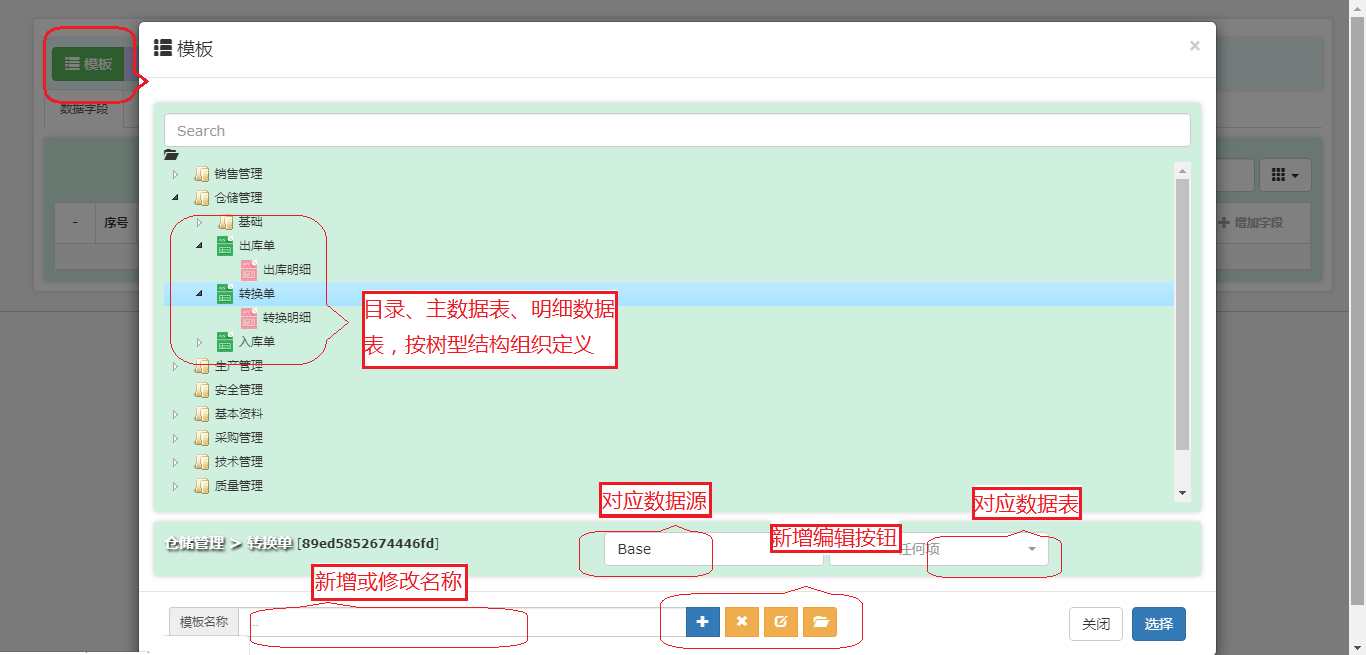
For a form mapped to an external data source, the data-source name and the external database table name must be selected;
for a template form designed on this system's own database the default is Base, with no selection needed.
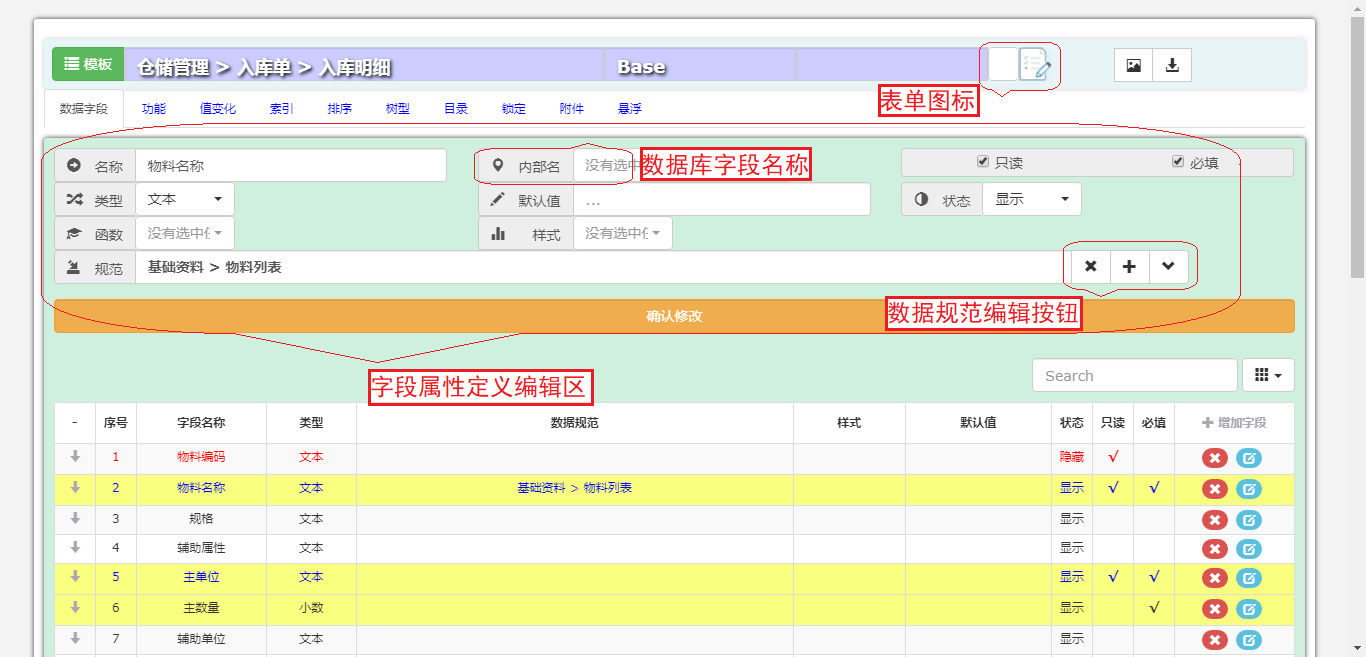
A data field is the smallest unit that carries data; its attributes must be designed carefully so that information is recorded efficiently and accurately,
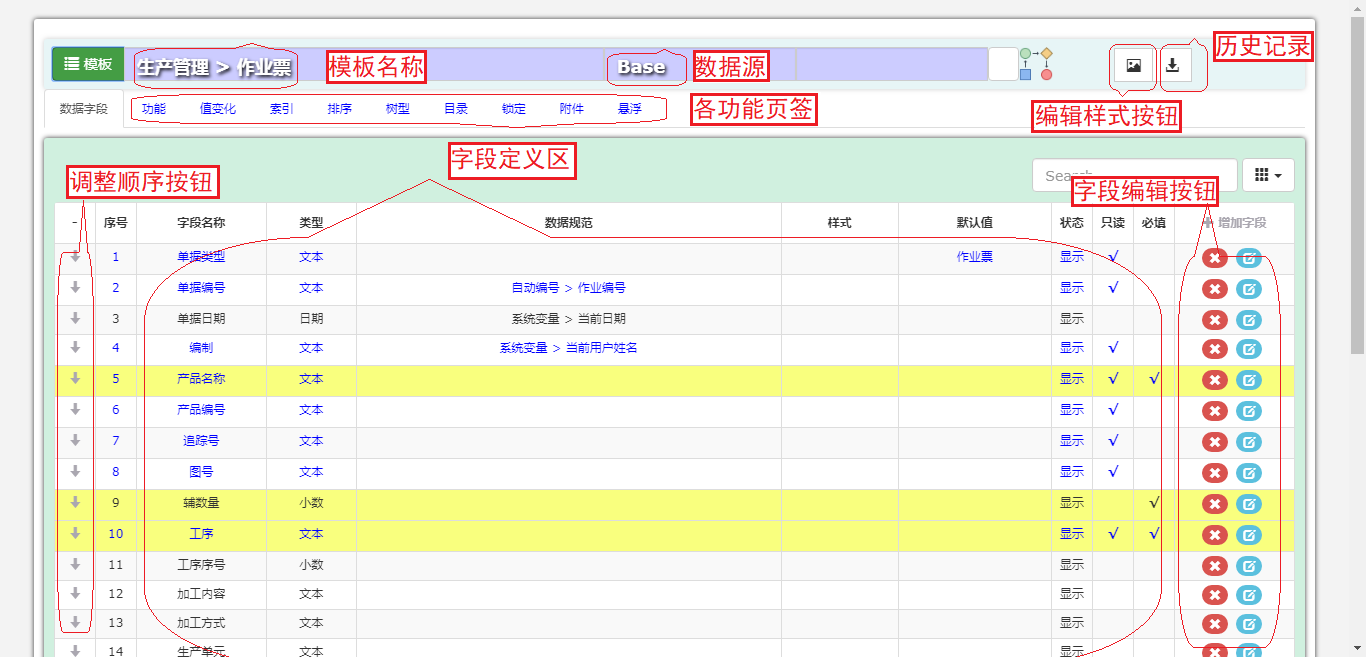
Designing and defining data fields is how the data structure takes shape during system construction; both necessity and redundancy must be considered,
Action buttons are the main form of interaction between the system and the user; through them a user can
submit, review and filter form data,
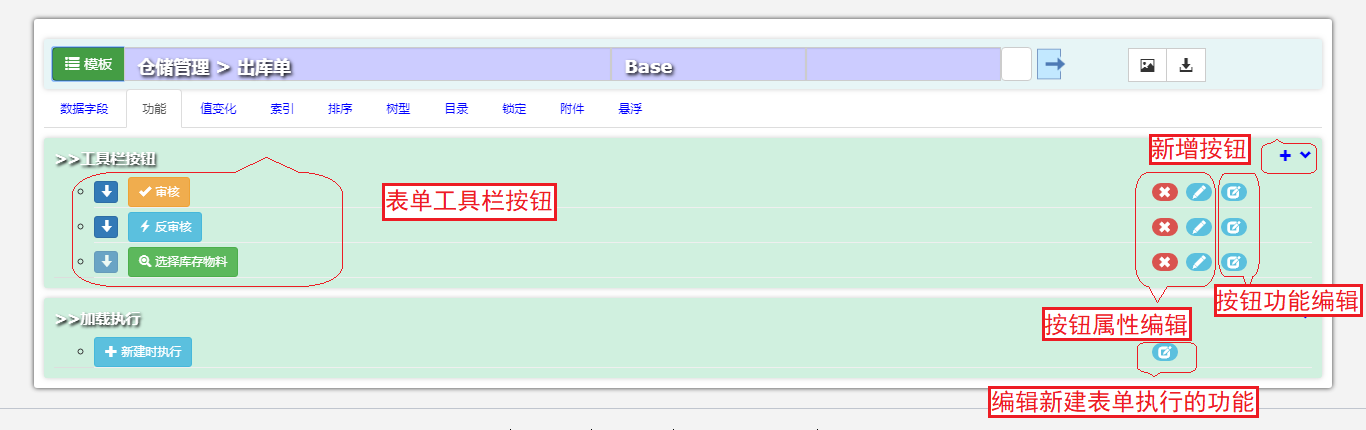
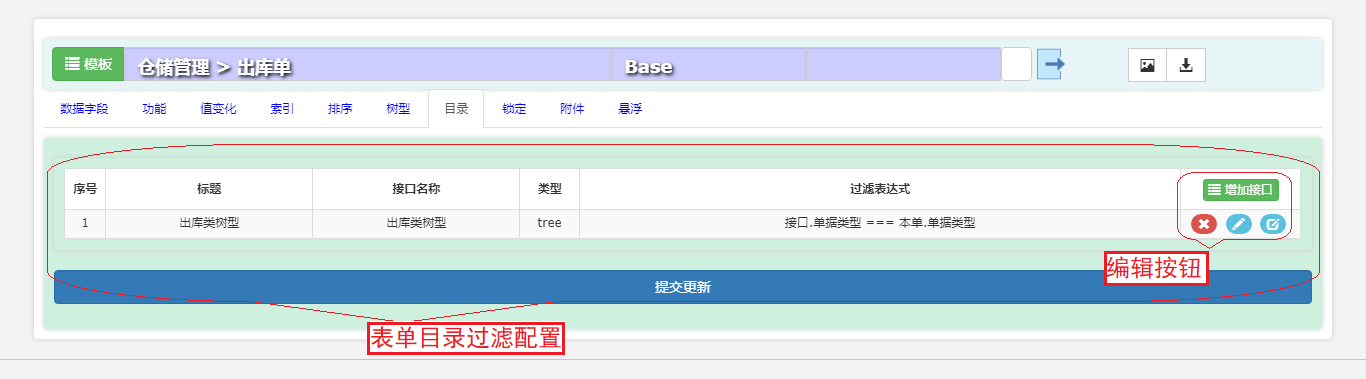
The list page of each form type can define several filter key fields for combined filtering,
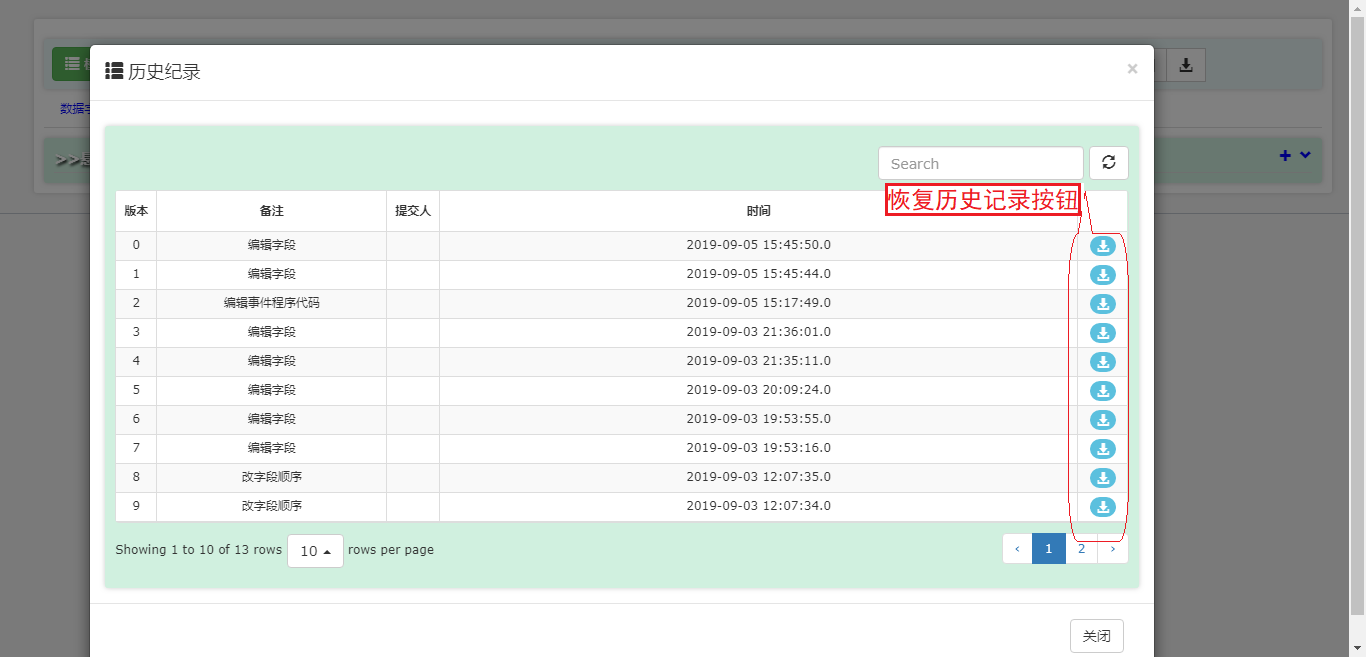
Designing, developing and changing a form is a continuous process. The platform stores a history record at every save point, so that developers can restore the template as it was at a chosen moment, which makes development easier,
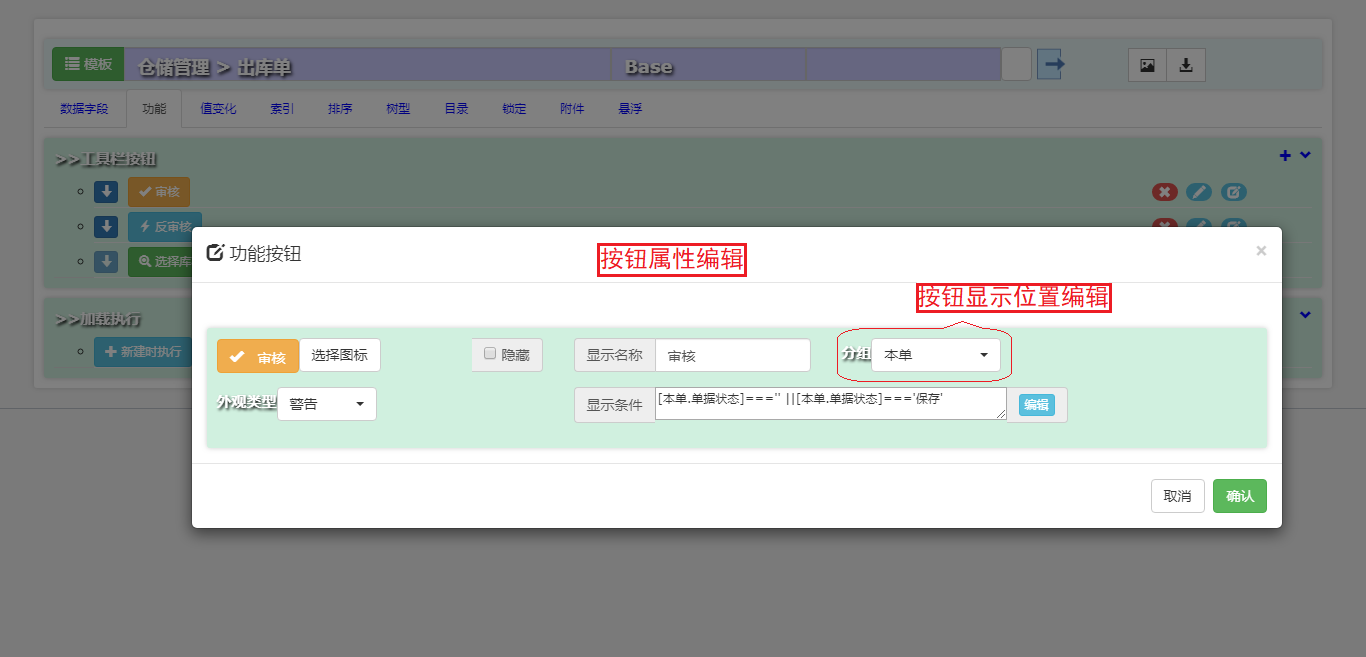
Buttons inside a form also have their own attributes, which developers can set as needed,
Template design is the starting point of custom system development and the most fundamental architecture work, corresponding to data-structure design in traditional development;
it also determines how the data flow forms and how processing formulas are designed.